01
A map for the match
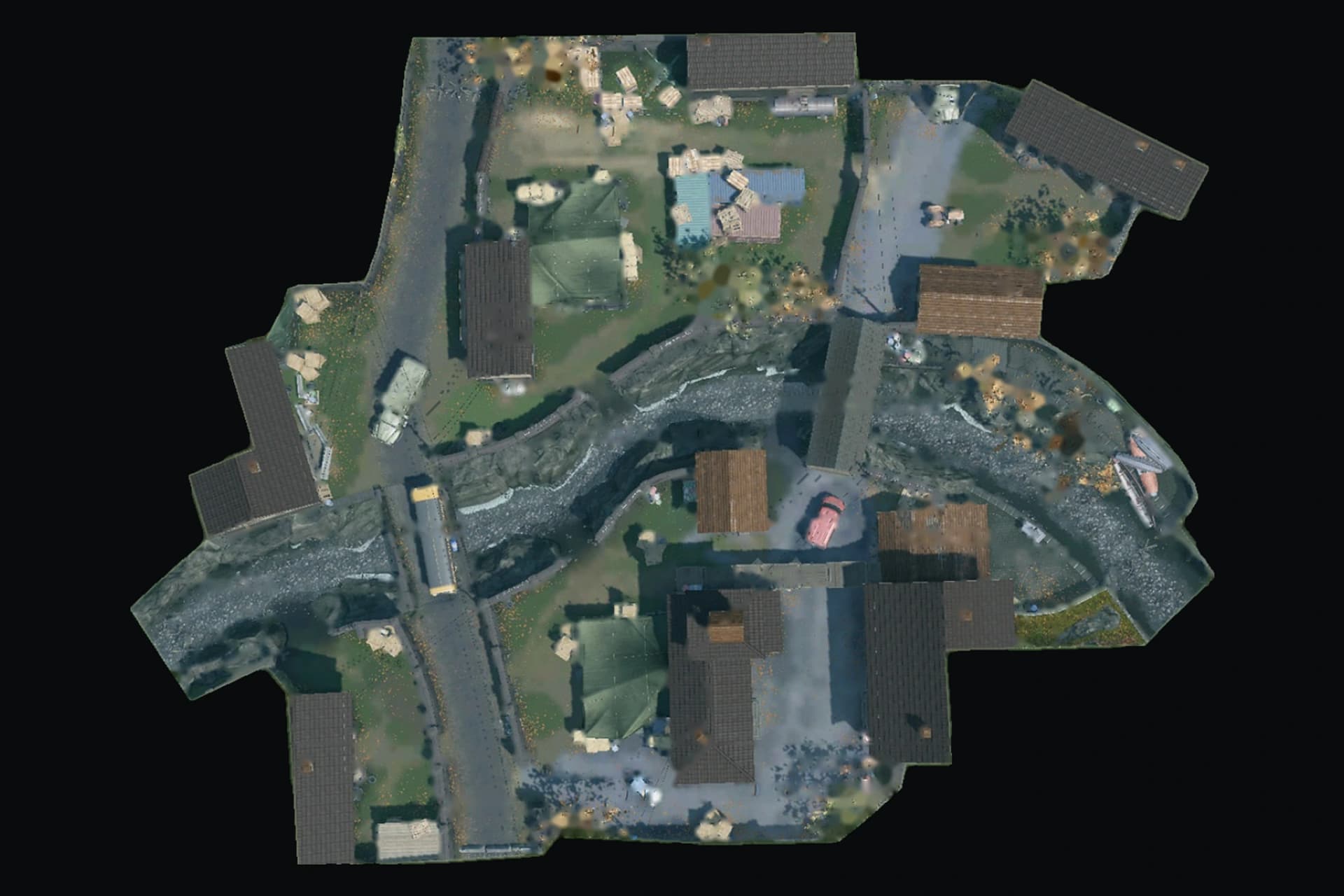
Match your game map to the catalogue. Show its overhead image and available throw and landing points.
When a match selects a map, help players choose a grenade. Get the overhead scheme, every published lineup type, and the media needed for an instant preview.
Recommended reference for AI-assisted integrations. Plain-text versions: llms.txt · complete English reference.
Build with the catalogue
01
Match your game map to the catalogue. Show its overhead image and available throw and landing points.
02
Show every published grenade type, then filter by side or bomb site. Your app decides when to offer help.
03
Highlight where to stand and where the grenade lands. Open ordered screenshots or a video in your own compact preview.
Your backend receives JSON. You control the layout, interactions and timing. The API supplies data and media URLs; it does not install a widget or a 3D trainer on your site.
curl --fail-with-body 'https://warfacelineups.ru/api/v1/maps' \
  --header "Authorization: Bearer $WARFACE_LINEUPS_TOKEN"
Base URL: https://warfacelineups.ru/api/v1. All six methods require HTTPS and Authorization: Bearer. Responses use JSON. No token may appear in a URL, browser storage, frontend bundle or NEXT_PUBLIC variable. Cross-origin browser CORS access is not enabled; use your backend.
Use aliases from /maps for initial matching, including verified native keys such as ptb_bridges_up. Compare exact names or aliases after Unicode NFKC, trimming and lowercase normalization; replace Russian ё with е. Ambiguous aliases return 404. Persist the full map id or stable map-<id> slug. Names and aliases can change. Do not infer a map from a partial name.
| Parameter | Values | Meaning |
|---|---|---|
| map | Map id, slug or alias | Only on /lineups. Do not repeat it on the map-specific route. |
| grenade | Grenade id, slug or unambiguous name | Omit to include every grenade type. |
| side | attack | defense | Includes lineups for both sides. Omit to include all, including unknown sides. |
| plant | 1 | 2 | 10 | 10 means no bomb site. Omit to include all. |
| media | video | screenshots | map | Stored modality; inspect normalized media fields before rendering. |
| page | Integer 1–1000 | Default 1. |
| pageSize | Integer 1–100 | Default 50. |
Unknown, duplicate and malformed query parameters return 400. Directory and detail endpoints accept no query parameters. The media filter uses persisted fields: video means a declared URL, screenshots means any positive screenshot count, map means a single frame with a stored trainer recipe. Legacy invalid media may still normalize to null or another media.kind. Check the response fields.
{
  "data": [],
  "pagination": {
    "page": 1, "pageSize": 50, "total": 0,
    "pages": 0, "hasNextPage": false
  }
}
Map and grenade directories use {data: [...]}; details use {data: {...}}. Only lineup lists contain pagination. Fetch pages until hasNextPage is false; a page beyond the end is empty. Stable ordering is createdAt descending, then id descending. Catalogue changes between requests can shift pages: deduplicate by id and refresh periodically. Do not treat the first page as the complete map.
Every field below is present. Null is explicit; arrays can be empty. The notation describes response shapes, not an SDK. Map and grenade references inside a lineup contain only id, slug and name; fetch the map separately for its scheme.
type Reference = {id: string; slug: string; name: string};
type Point = {x: number; y: number};
type BombSite = Point & {id: string; kind: 'site'; label: string};
type Scheme = {
  imageUrl: string; width: number; height: number;
  coordinateSystem: 'normalized-top-left'; bombSites: BombSite[];
};
type MapData = Reference & {
  aliases: string[]; canonicalUrl: string; lineupCount: number;
  scheme: Scheme | null;
};
type Grenade = Reference & {lineupCount: number};
type Screenshot = {index: number; url: string; thumbnailUrl: string};
type Video = {
  provider: 'youtube'; id: string; watchUrl: string; embedUrl: string;
};
type Lineup = {
  id: string; title: string; description: string; canonicalUrl: string;
  map: Reference; grenade: Reference;
  side: 'attack' | 'defense' | 'both' | null;
  typeSide: number; typePlant: number; typeClick: string;
  media: {
    kind: 'video' | 'screenshots' | 'map' | 'unavailable';
    previewUrl: string | null; screenshots: Screenshot[];
    screenshotCount: number; screenshotsTruncated: boolean;
    video: Video | null;
  };
  placement: {
    throwPoint: Point | null; landPoint: Point | null;
    coordinateSystem: 'normalized-top-left';
    connection: 'straight-line-guide' | null;
  };
  createdAt: string; updatedAt: string;
};
type Pagination = {
  page: number; pageSize: number; total: number;
  pages: number; hasNextPage: boolean;
};
Validate responses with OpenAPI; additional fields may be added. A public instruction is user text, never trusted HTML.
function pointInImage(point, scheme, containerWidth, containerHeight) {
  if (!point || !scheme) return null;
  const scale = Math.min(
    containerWidth / scheme.width, containerHeight / scheme.height
  );
  const width = scheme.width * scale;
  const height = scheme.height * scale;
  return {
    left: (containerWidth - width) / 2 + point.x * width,
    top: (containerHeight - height) / 2 + point.y * height,
  };
}
The result is relative to the container's top-left corner, including letterbox offsets. Pan and zoom image and markers together; do not independently crop or rotate. If the image or points are absent, retain the lineup's media and canonical link in a list. Video URL validation does not verify current playback availability; use screenshot and canonical-page fallbacks.
After a match selects a map, load that map and its complete lineup list. Hover or keyboard focus highlights throw → landing; clicking pins a compact preview. On touch, use a tap. Load a video iframe only after an explicit play action, without hover autoplay. Preserve screenshot and canonical-page fallbacks if external media fails. Your app controls how often the panel appears.
// Backend only. Save as an ES module (.mjs); requires Node.js 22+.
// Keep WARFACE_LINEUPS_TOKEN in private server configuration.
const tokenName = 'WARFACE_LINEUPS_TOKEN';
const token = process.env[tokenName];
if (!token) throw new Error('Missing API token');
const base = "https://warfacelineups.ru/api/v1";

async function api(path) {
  const response = await fetch(base + path, {
    headers: {Authorization: 'Bearer ' + token},
    signal: AbortSignal.timeout(8000), cache: 'no-store',
  });
  if (!response.ok) {
    const error = new Error('Lineups API HTTP ' + response.status);
    error.status = response.status;
    error.retryAfter = response.headers.get('Retry-After');
    throw error; // Honor Retry-After on 429; never log headers.
  }
  return response.json();
}

export async function getMapLineupBatch(mapReference, page = 1) {
  if (typeof mapReference !== 'string' || !mapReference.trim() || mapReference.length > 100) {
    throw new Error('Invalid map reference');
  }
  if (!Number.isInteger(page) || page < 1 || page > 1000) {
    throw new Error('Invalid continuation page');
  }
  const {data: map} = await api('/maps/' + encodeURIComponent(mapReference));
  if (!map || typeof map.id !== 'string') throw new Error('Invalid map response');
  const byId = new Map();
  const stopPage = Math.min(1000, page + 4); // At most five pages per batch.
  for (; page <= stopPage; page++) {
    const result = await api('/maps/' + encodeURIComponent(map.id) +
      '/lineups?pageSize=100&page=' + page);
    if (!Array.isArray(result.data) || result.pagination?.page !== page ||
        typeof result.pagination?.hasNextPage !== 'boolean') {
      throw new Error('Invalid lineup response');
    }
    for (const item of result.data) byId.set(item.id, item);
    if (!result.pagination.hasNextPage) {
      return {map, lineups: [...byId.values()], complete: true,
        nextPage: null, paginationLimitReached: false};
    }
  }
  return {map, lineups: [...byId.values()], complete: false,
    nextPage: stopPage < 1000 ? stopPage + 1 : null,
    paginationLimitReached: stopPage === 1000};
}

// Start with the stable map id selected from GET /maps.
// Continue with getMapLineupBatch(mapId, previous.nextPage).
// Merge batches by lineup.id. Send public data, never the token, to the browser.
Save the code above as lineups-api.mjs on a Node.js 22+ server, with WARFACE_LINEUPS_TOKEN in private server configuration. Save the next block beside it as read-lineups.mjs and run it with a real id returned by /maps in place of MAP_ID_FROM_CATALOGUE. It outputs JSON; running the file does not install or render a page.
// Save as read-lineups.mjs beside lineups-api.mjs.
const modulePath = './lineups-api.mjs';
const {getMapLineupBatch} = await import(modulePath);

const mapId = process.argv[2]; // Full id returned by GET /maps.
const page = Number(process.argv[3] ?? '1');
if (!mapId) throw new Error('Pass a catalogue map id as the first argument');
const batch = await getMapLineupBatch(mapId, page);
console.log(JSON.stringify(batch, null, 2)); // Public data only, no token.

// Run: node read-lineups.mjs MAP_ID_FROM_CATALOGUE
// If nextPage is not null: run again with that page as the second argument.
// In a web app, return batch as JSON from your own backend route instead.
// The frontend reads map.scheme and lineups; it never receives token headers.
Call getMapLineupBatch with the map id selected from /maps. Each call reads the scheme and at most five pages of 100 lineups. If complete=false, continue with nextPage, merge by id and respect the shared token quota. complete=true finishes traversal. If paginationLimitReached=true, page 1000 was reached: preserve the batch, report incompleteness and narrow filters for further discovery. Errors remain errors, never an empty successful catalogue. No automatic retries are included; validate the full payload with OpenAPI in production.
In a web app, call this function from your own backend handler and return only map, lineups and continuation state to the browser. Render scheme.imageUrl, available points and media links in your frontend. The token and Authorization header stay on your backend. Keep nextPage between batches yourself; the API does not create a traversal session.
Coalesce requests for the same map. A short private application cache, for example 60 seconds, reduces repeat calls; it defines your app’s freshness, not guaranteed publication. Never cache Authorization in a public CDN. Remove materials on 404; show useful last-known data as stale on temporary failure. Load images on demand and link back using canonicalUrl. API availability and a working video embed require separate checks.
120 requests per token per fixed calendar minute shared by all endpoints. The next minute opens a new window. Authenticated requests consume quota even if input or resource loading later fails. Read X-RateLimit-Limit; on 429, honor Retry-After in seconds. API responses use Cache-Control: private, no-store.
{"error":{"code":"UNAUTHORIZED","message":"A valid Bearer token is required."}}Up to 5 active keys per account, each valid for 365 days; up to 10 creation attempts per hour. Full keys are shown once. Revoke lost keys and create replacements. Revocation, expiry and account eligibility are checked on every request. Password reset/change or ending other sessions invalidates earlier keys.
Read-only public data: the token does not grant profile, moderation, private or unpublished access, and cannot create/edit/delete a lineup. Handle errors by HTTP status and error.code; message wording may change. Accept additive response fields. Breaking changes will use a new API version. Examples contain no real credentials or production counts.